
Build your robotics
and IoT projects faster.
Connect devices, software and natural interaction with the Tactigon suite. Build application logic visually with SHAPE, bring together ROS 2, MQTT and local AI, and add voice and gesture recognition with GEAR.
Use the optional SKIN wearable when your project needs gesture input.
Visual development · Connected devices · Voice & gestures
Robotics · IoT · Natural interaction
Software environment · Docker
Build application logic with connected blocks
GEAR · Voice & gesture recognition
ROS 2 · MQTT broker · Ollama integration
SKIN wearable (optional) · Microphones
Sensors · Robots · Devices
Visual development for robotics and IoT
Bring application logic, connected devices and natural interaction together with the Tactigon suite.
Build visually
Create application logic with SHAPE’s visual blocks. Combine conditions, data and actions to build your robotics or IoT project. Extend the logic with custom blocks when needed.
SHAPE · VISUAL DEVELOPMENT
Connect devices
Bring ROS 2, an integrated MQTT broker, APIs and Ollama integration into the same development environment. Connect application logic to robots, sensors and external services.
ROS 2 · MQTT · APIs · OLLAMA
Add interaction
Use GEAR for voice and gesture recognition in your application. Add the optional SKIN wearable to trigger actions through gestures and connect human input to device behaviour.
GEAR · OPTIONAL SKIN WEARABLE
Visual development with ROS 2, MQTT and local AI
Less setup. More room to build.
Build robotics and IoT application logic with visual blocks. SHAPE brings together ROS 2, an integrated MQTT broker, Ollama integration and GEAR in a Docker environment.
Connect devices and external services, combine data with conditions and actions, and extend your project with custom blocks.
SHAPE in action · 29-second excerpt from the existing visual development tutorial.
Product details, requirements and getting started.
Visual application logic
Connect visual blocks to combine inputs, conditions and actions. Extend your application with custom blocks when your project needs additional behaviour.
ROS 2 robot connections
Use ROS 2 blocks to publish and subscribe to topics. Connect application logic to robot and camera nodes through the interfaces your project requires.
MQTT device messaging
Exchange messages between your application and compatible devices or services through the integrated MQTT broker. Use incoming data to trigger application actions.
APIs and cloud services
Connect external services through APIs and use their data in your application. Build conditions and actions around the information your project needs.
Ollama local AI models
Connect locally running language models through Ollama integration. Choose a model and hardware configuration suited to the requirements of your application.
Voice and gesture control for connected applications
GEAR: voice and gestures
Add voice and gesture recognition to your application. GEAR processes interaction inputs, including data from the optional SKIN wearable, so your application can associate recognised inputs with actions.
SKIN: wearable controller
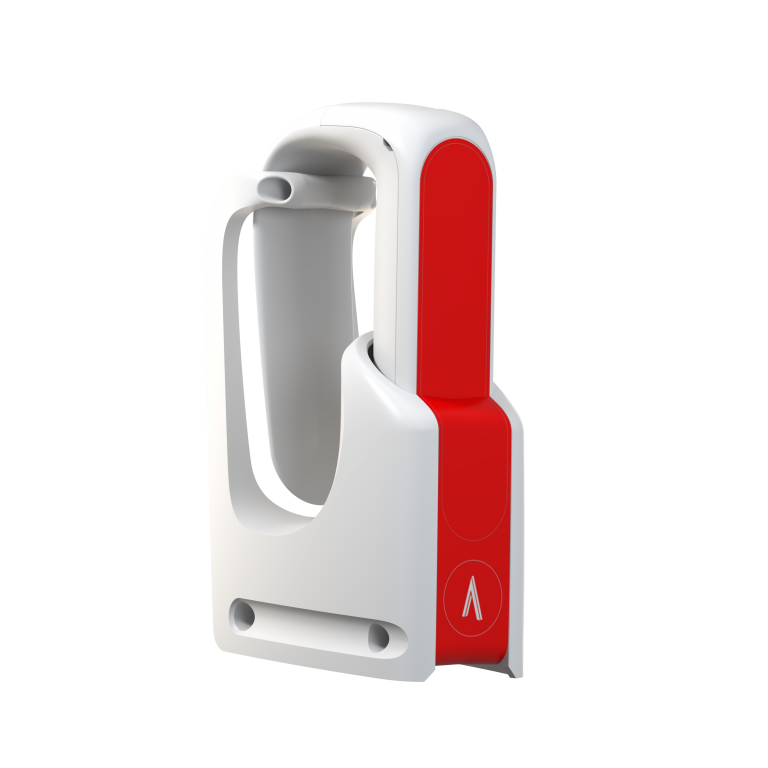
Bring wearable gesture input to your project. SKIN sends gesture data to GEAR, enabling your application to trigger actions on connected robots, devices or software through recognised gestures.
Robotics and IoT applications built with SHAPE
See how visual application logic connects ROS 2 camera input, robot actions and external IoT services.
ROS 2 demo: camera tracking and Arduino Braccio robot control
Vision-guided robotics
Connect camera tracking to robot actions through ROS 2. This demonstration shows a physical arm responding to marker selection, using SHAPE logic to coordinate object pickup and placement.
Camera tracking → ROS 2 messages → Robot actions
ZION demo: read sensor telemetry with SHAPE
Sensor-connected logic
Read sensor telemetry from ZION using SHAPE blocks. This recording shows how to select a device, request its latest data and inspect the response for use in application logic.
ZION device → SHAPE blocks → Telemetry response
What would you like to connect?
Tell us about your robot, device or application.